Configuring a dialog
dialogIcon(_:)
配置此视图中对话框使用的图标。
swift
func dialogIcon(_ icon: Image?) -> some View以下示例使用自定义图像配置确认对话框。
swift
struct ContentView: View {

    @State private var isShowingDialog = false


    var body: some View {

        Button("Delete items") {
            isShowingDialog = true
        }
        .confirmationDialog(
            "Are you sure you want to erase these items?",
                isPresented: $isShowingDialog
        ) {
            Button("Erase", role: .destructive) {
                // Handle item deletion.
            }
            Button("Cancel", role: .cancel) {
                isShowingDialog = false
            }
        }.dialogIcon(Image(systemName: "star.fill"))

    }
}
在 macOS 上,此图标替换应用程序的默认图标。
在 watchOS 上,此图标将显示在出现的任何对话框中。
该修改器对其他平台没有影响。
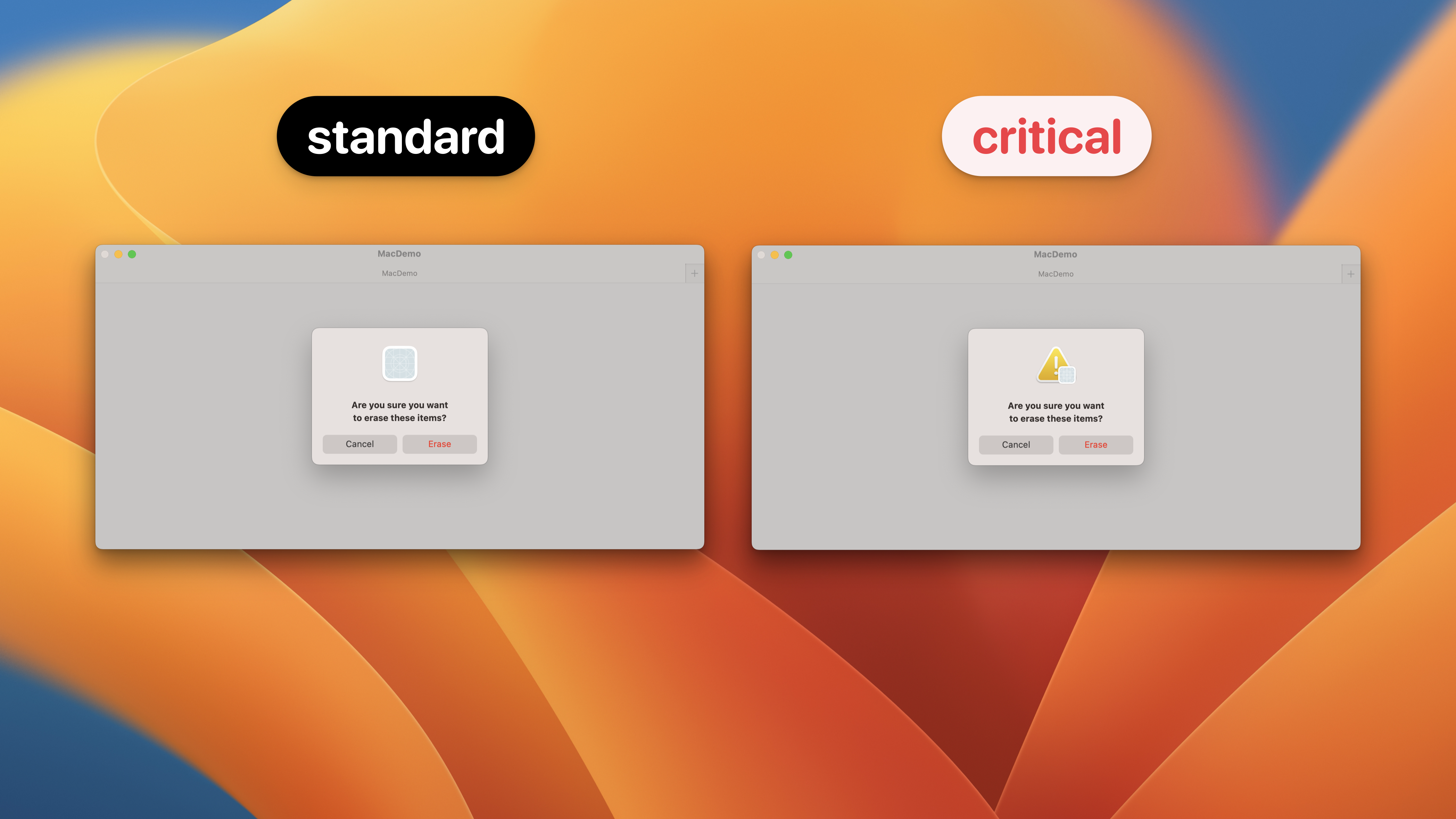
dialogSeverity(_:) macOS / watchOS / visionOS
用于确认对话框和警报的严重性。
swift
func dialogSeverity(_ severity: DialogSeverity) -> some Viewautomatic: 默认对话框严重性。出现错误的警报将使用.critic,所有其他警报将使用.standard。standard: 一种严重性等级,表明对话框显示的目的是向用户呈现信息。critical: 一个指示需要特别注意对话的严重性级别,例如当采取的行动可能导致意外的数据丢失时。
dialogSuppressionToggle(isSuppressed:)
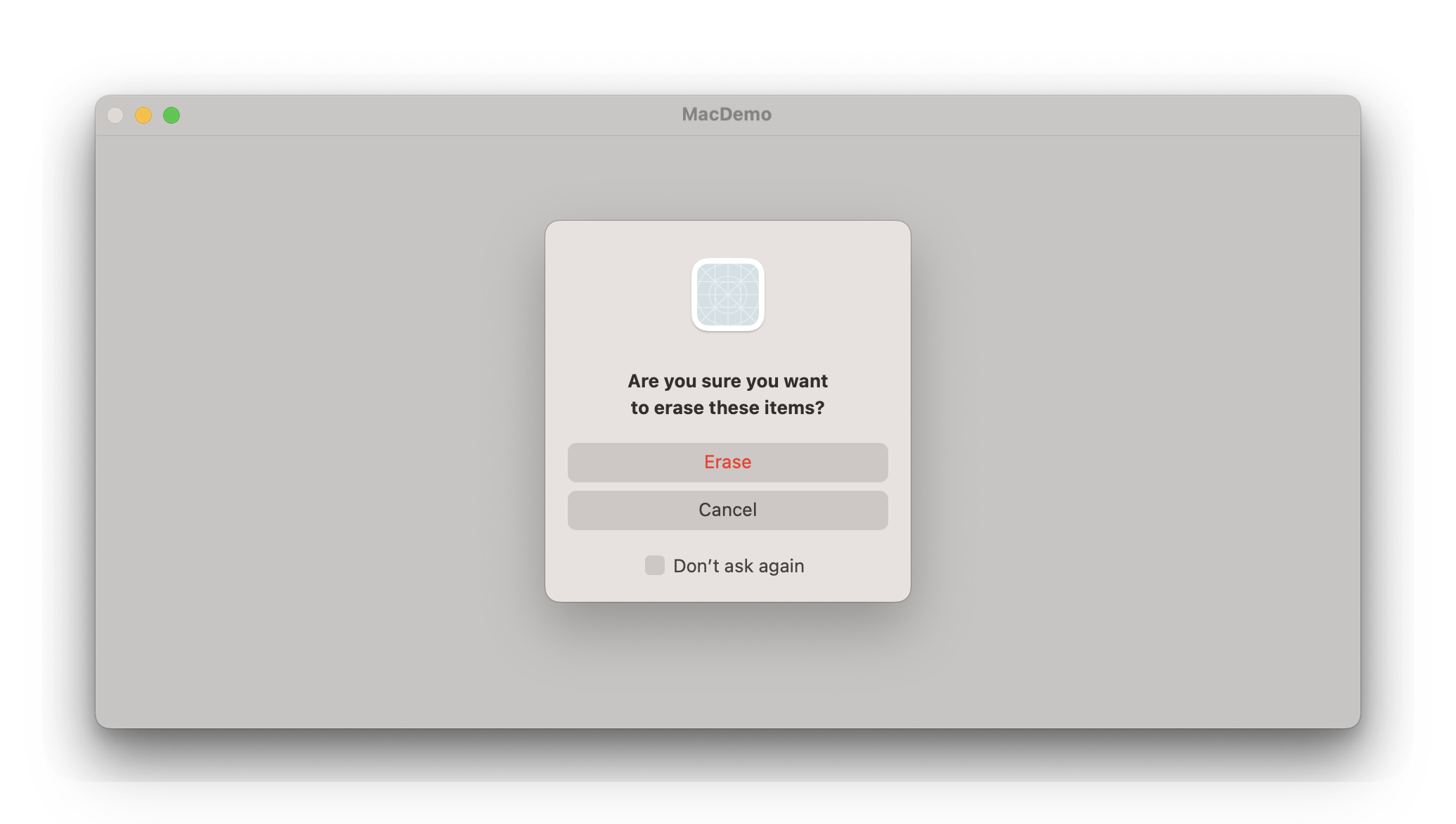
允许用户在自身内部抑制对话框和警告,macOS上带有默认的抑制信息,在其他平台上未使用。
swift
func dialogSuppressionToggle(isSuppressed: Binding<Bool>) -> some View应用对话框抑制会在 macOS 上的对话框中添加一个切换开关,允许用户请求不再显示该警告。
通常,是否抑制某个对话框会存储在 AppStorage 中,并用来决定将来是否展示该对话框。
以下示例配置了一个带有抑制切换的确认对话框。切换的状态存储在 AppStorage 中,并用来确定当按下「Delete Items」按钮时是否显示对话框。
swift
struct ConfirmEraseItems: View {
    @State private var isShowingDialog = false


    @AppStorage("suppressEraseItemAlert")
    private var suppressAlert = false


    var body: some View {
        Button("Delete Items") {
            if !suppressAlert {
                isShowingDialog = true
            } else {
                // Handle item deletion.
            }
        }
        .confirmationDialog(
            "Are you sure you want to erase these items?",
            isPresented: $isShowingDialog
        ) {
            Button("Erase", role: .destructive) {
                // Handle item deletion.
            }
            Button("Cancel", role: .cancel) {
                isShowingDialog = false
            }
        }
        .dialogSuppressionToggle(isSuppressed: $suppressAlert)
    }
}
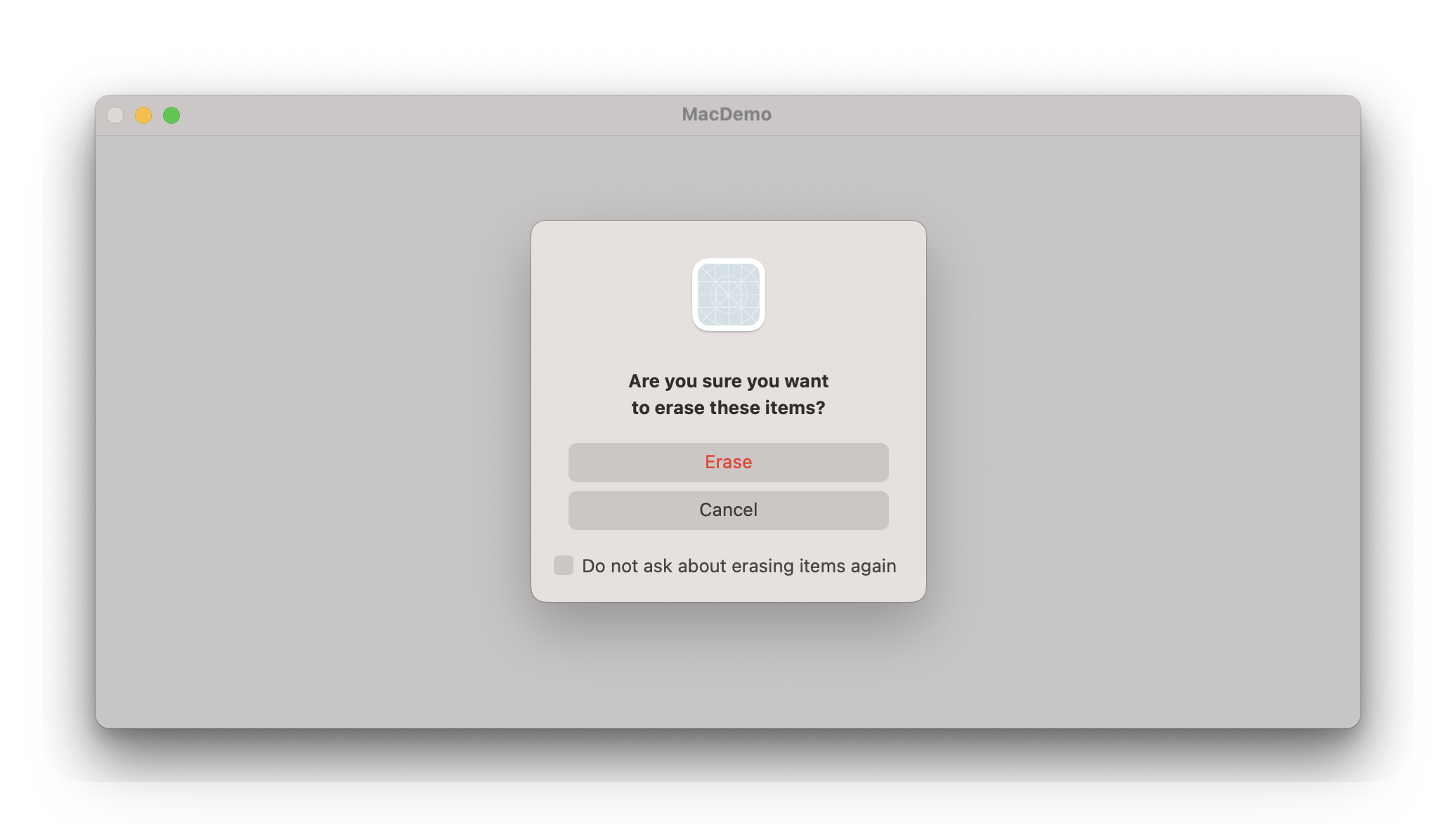
dialogSuppressionToggle(_:isSuppressed:)
指定「是否忽略弹窗」的提示信息。
swift
struct ConfirmEraseItems: View {
    @State private var isShowingDialog = false


    @AppStorage("suppressEraseItemAlert")
    private var suppressAlert = false


    var body: some View {
        Button("Delete Items") {
            if !suppressAlert {
                isShowingDialog = true
            } else {
                // Handle item deletion.
            }
        }
        .confirmationDialog(
            "Are you sure you want to erase these items?",
            isPresented: $isShowingDialog
        ) {
            Button("Erase", role: .destructive) {
                // Handle item deletion.
            }
            Button("Cancel", role: .cancel) {
                isShowingDialog = false
            }
        }
        .dialogSuppressionToggle("Do not ask about erasing items again",isSuppressed: $suppressAlert)
    }
}