Exporting to file
fileExporter(isPresented:documents:contentType:onCompletion:)
展示一个系统界面,用于将存储在值类型(如结构体)中的文档导出到磁盘上的文件。
swift
func fileExporter<C>(
    isPresented: Binding<Bool>,
    documents: C,
    contentType: UTType,
    onCompletion: @escaping (Result<[URL], any Error>) -> Void
) -> some View where C : Collection, C.Element : ReferenceFileDocumentisPresented: 是否应显示界面的绑定。document: 要导出的内存中文档。contentType: 用于导出文件的内容类型。onCompletion: 当操作成功或失败时将调用的回调。
提示
- 为了让界面出现,
isPresented必须为true,并且document不能为nil。 - 当操作完成时,在调用
onCompletion之前,isPresented将被设置为false。 - 如果用户取消操作,
isPresented将被设置为false,并且onCompletion将不会被调用。 - 提供的
contentType必须包含在文档类型的writableContentTypes中,否则将使用第一个有效的可写内容类型。
定义一个自定义的文件格式:
swift
import SwiftUI
import UniformTypeIdentifiers

struct TextFile: FileDocument {
    // tell the system we support only plain text
    static var readableContentTypes = [UTType.plainText]

    // by default our document is empty
    var text = ""

    // a simple initializer that creates new, empty documents
    init(initialText: String = "") {
        text = initialText
    }

    // this initializer loads data that has been saved previously
    init(configuration: ReadConfiguration) throws {
        if let data = configuration.file.regularFileContents {
            text = String(decoding: data, as: UTF8.self)
        } else {
            throw CocoaError(.fileReadCorruptFile)
        }
    }

    // this will be called when the system wants to write our data to disk
    func fileWrapper(configuration: WriteConfiguration) throws -> FileWrapper {
        let data = Data(text.utf8)
        return FileWrapper(regularFileWithContents: data)
    }
}
使用文档 Document 场景
swift
@main
struct MacDemoApp: App {
    var body: some Scene {
        DocumentGroup(newDocument: TextFile()) { file in
            ContentView(document: file.$document)
        }
    }
}
导出文件
swift
struct ContentView: View {

    @Binding var document: TextFile

    @State private var showingExporter = false

    var body: some View {

        TextEditor(text: $document.text)
            .font(.largeTitle)
            .toolbar(content: {
                ToolbarItem {
                    Button("导出") {
                        showingExporter = true
                    }.fileExporter(isPresented: $showingExporter, document: document, contentType: .plainText) { result in
                        switch result {
                        case .success(let url):
                            print("Saved to \(url)")
                        case .failure(let error):
                            print(error.localizedDescription)
                        }
                    }
                }
            })
    }
}
fileExporterFilenameLabel(_:)
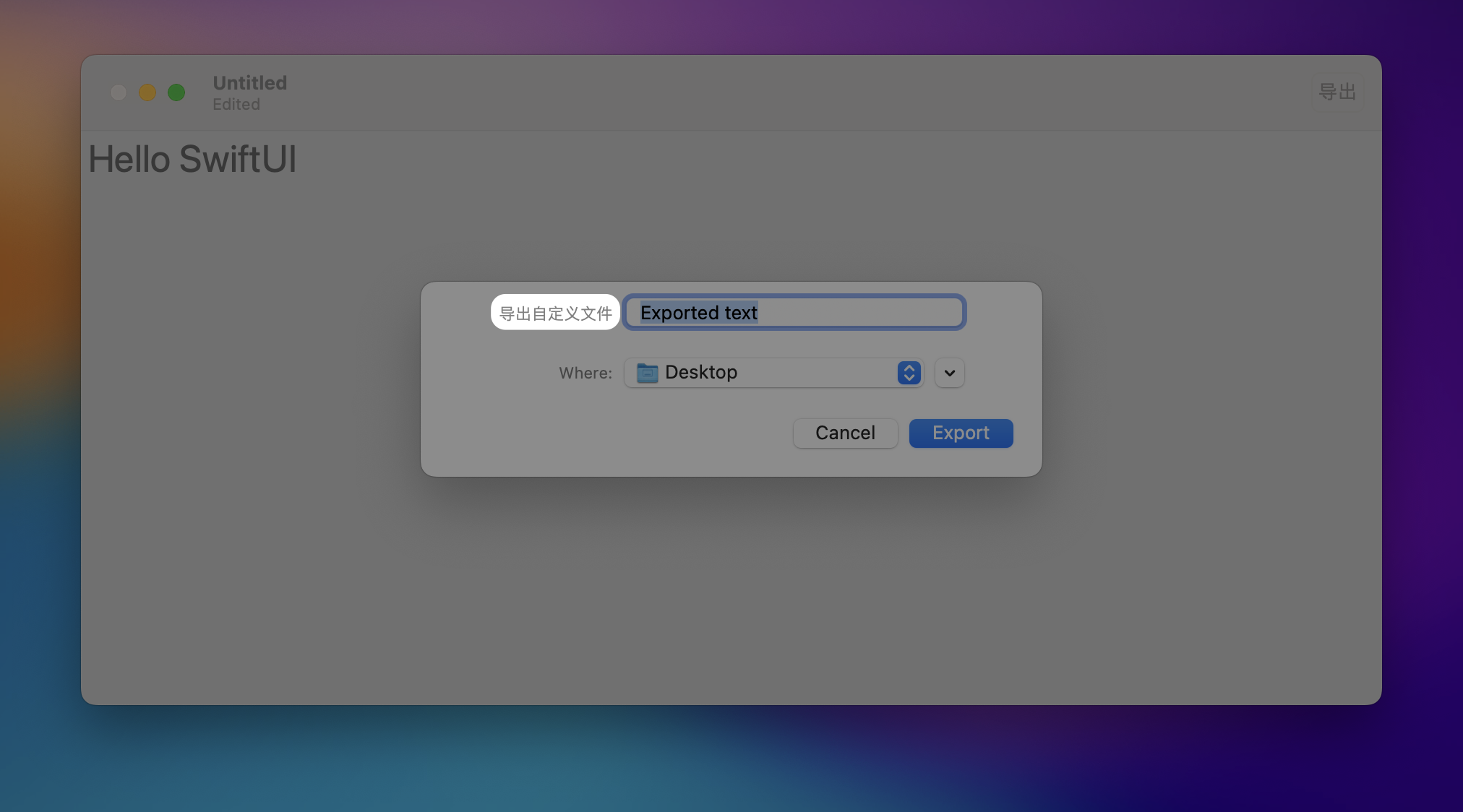
在 macOS 上,使用 fileExporterFileNameLabel(_:) 来配置文件导出器的文件名字段标签。
swift
.fileExporter(isPresented: $showingExporter, document: document, contentType: .plainText) { result in
    switch result {
    case .success(let url):
        print("Saved to \(url)")
    case .failure(let error):
        print(error.localizedDescription)
    }
}
.fileExporterFilenameLabel("导出自定义文件")